
How Feelcaster works
Weather, your body and your own history, turned into one clear forecast and an alert before it matters.
What it watches
Nine weather and air signals, hour by hour, where you are. Each one has a point where Feelcaster starts to take it seriously.
Pressure and storms
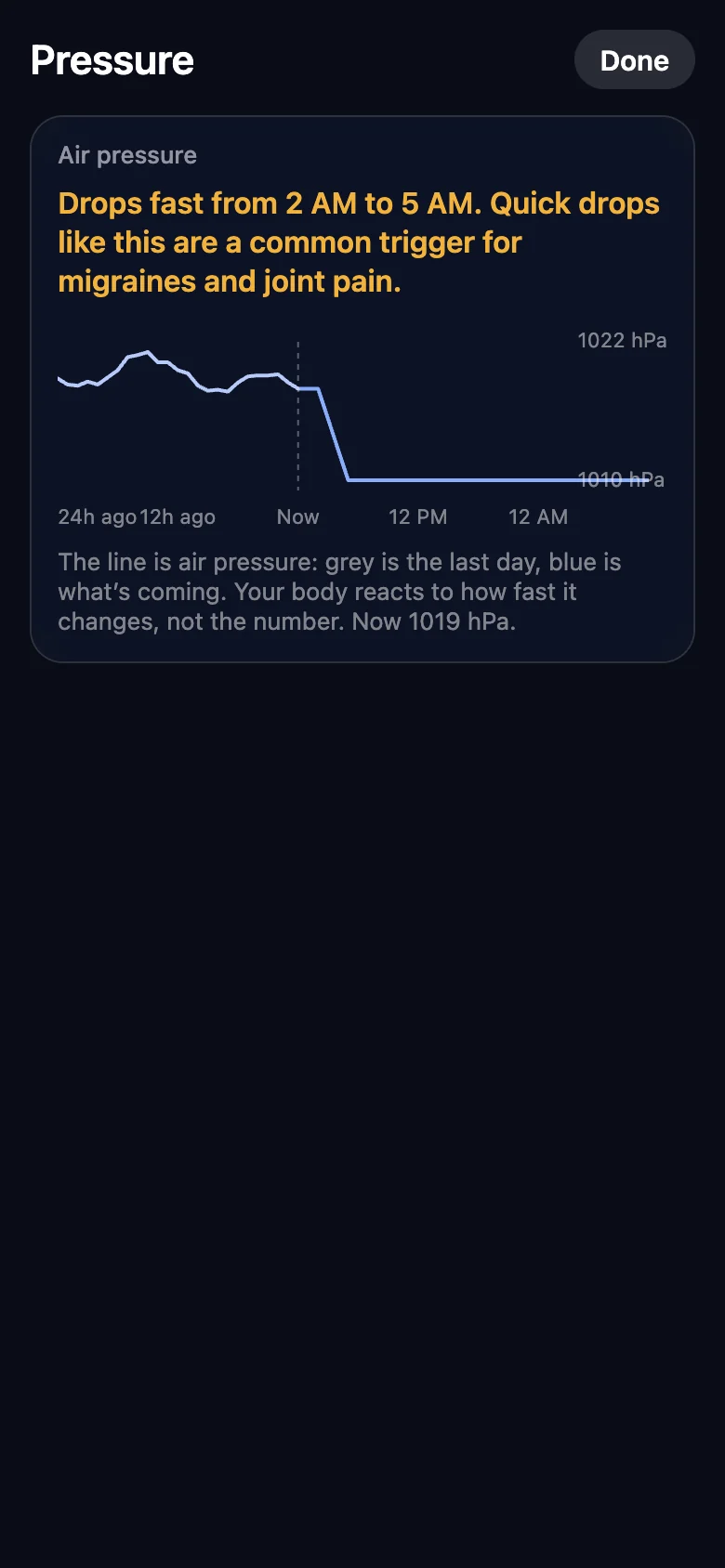
Pressure swings
Air pressure rising or falling fast, usually around a passing front or storm. Starts to count at: A swing of about 6 hPa within 3 hours, or a clear shift from the day before.
Thunderstorms
Thunderstorms, and air that is primed for them. High pollen makes them count for more. Starts to count at: Thunderstorms in the forecast.
Temperature
Heat
Hot afternoons, high feels-like temperatures and warm nights. Starts to count at: A feels-like temperature from 80°F, strongest near 103°F.
Cold
Cold air, wind chill and fast drops in temperature. Starts to count at: A feels-like temperature below 50°F, or a drop of 8°F or more within 4 hours.
Air
Air quality
Smoke, smog and fine particles. Starts to count at: A US Air Quality Index above 50, strongest past 100.
Pollen
Tree, grass and weed pollen, carried further on windy days. Starts to count at: Moderate pollen and above.
Humidity and sun
Damp, humid air
Heavy, humid air, worse when it is windy. Starts to count at: Humidity above 70%.
Dry air
Very dry air that dries out skin, eyes and sinuses. Starts to count at: A dew point below 35°F.
Strong sun
High UV that can set off sun-sensitive conditions. Starts to count at: A UV index from 3, strongest at 8 and above.
These are starting points. The more strongly you say something affects you, the more each one counts, and your logs tune the pressure point to you.
How your Feelcast is set
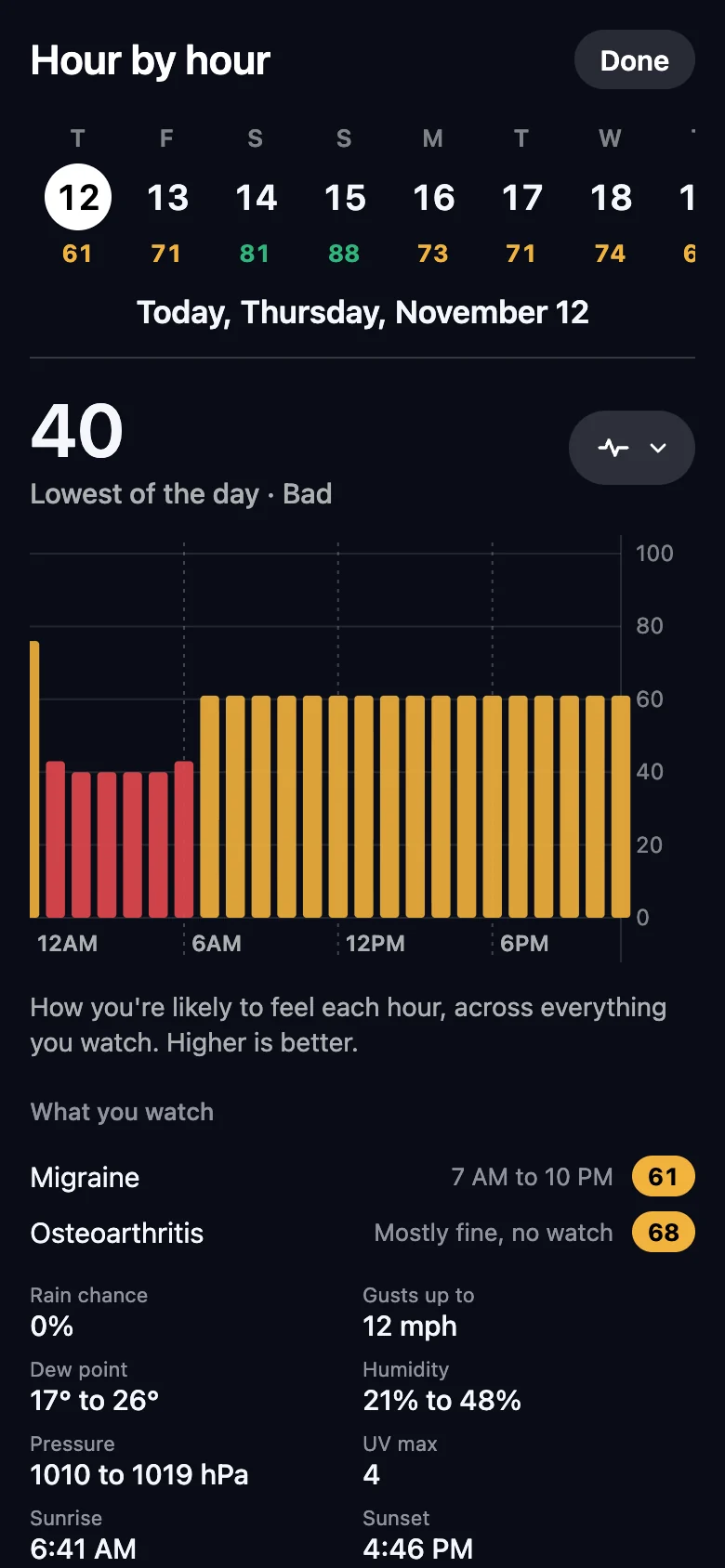
Each hour, Feelcaster measures how strongly each trigger is present. It weighs them for what you watch for, the triggers you picked and how strongly each affects you. The hardest waking hour ahead sets your number.
- Good day80 to 100
- Bearable day50 to 79
- Bad day0 to 49
With Feelcaster Plus and Apple Health or Fitbit connected, a short night or low recovery counts toward a harder day.
When it tells you
A Feelcast Watch
When a rough stretch is possible within the next 2 days for something you watch.
A Feelcast Warning
When a rough stretch is likely within the next 12 hours, with what is driving it and one thing to do.
Once a day, a check-in
Feelcaster asks how you’re feeling, so it can compare the forecast with your day and keep learning.
Not at night
Quiet hours, 10 PM to 7 AM, hold back everything except severe weather warnings.
Where the data comes from
Weather
Hourly and 10-day forecasts from Open-Meteo, built on national weather service models.
Air quality and pollen
Forecasts from Open-Meteo, monitor readings from the US EPA AirNow program, and tree, grass and weed pollen from Open-Meteo and Google.
Official alerts
Watches, warnings and advisories from the US National Weather Service.
Radar
NOAA NEXRAD radar for the continental United States.
Feelcaster shares information, not medical advice. Read the medical disclaimer.
Questions people ask
Does a low Feelcast mean I will have a bad day?
No. A lower score means more of your triggers line up in the hours ahead. Many things affect how you feel, and Feelcaster can’t know them all.
How does learning work?
Each log keeps a short record of the weather from the hours before it. After three or more bad days, Feelcaster works out the pressure swing you actually react to and uses it in place of the starting point. Good days on a forecast bad day nudge it back.
Can I choose which notifications I get?
Yes. Feelcast Watches and Warnings, severe weather, rain or snow starting, and your body each have their own switch in Profile. Quiet hours hold back everything except severe weather warnings.
Which data sources does Feelcaster use?
Weather and air quality forecasts from Open-Meteo, air quality readings from the US EPA AirNow program, pollen from Open-Meteo and Google, official alerts from the US National Weather Service, and radar from NOAA NEXRAD.

Know before the weather does.
Feelcaster is coming to iPhone and Android. Join early access and we’ll send your invite.